A practical planning resource for education websites.

Planning a website refresh can quickly become more complex than expected. Between enrolment pathways, content updates, policies, accessibility, stakeholder feedback and internal workflows, there are a lot of moving parts to consider before a project begins.

This checklist has been created to help schools and education providers think through the key areas that shape a successful website — from strategy and structure through to launch preparation.

Website Goals & Audience Planning

Clarify what your website needs to achieve, who it needs to support, and how each audience group should move through the experience.

Website Structure, Key Pages & Content Planning

Review your current website structure, identify essential pages, and plan what content should stay, change, be rewritten or created.

Education & Training, an industry serviced by Spacey Studios

Enrolment Pathways & Trust Signals

Explore how your website supports enquiries, enrolments and key actions while building confidence through clear messaging, design and proof points.

UI & UX Design, a service offered by Spacey Studios

CMS, Accessibility & Launch Planning

Consider how your website will be managed, what needs to be editable, and how mobile, accessibility and launch requirements will be handled.
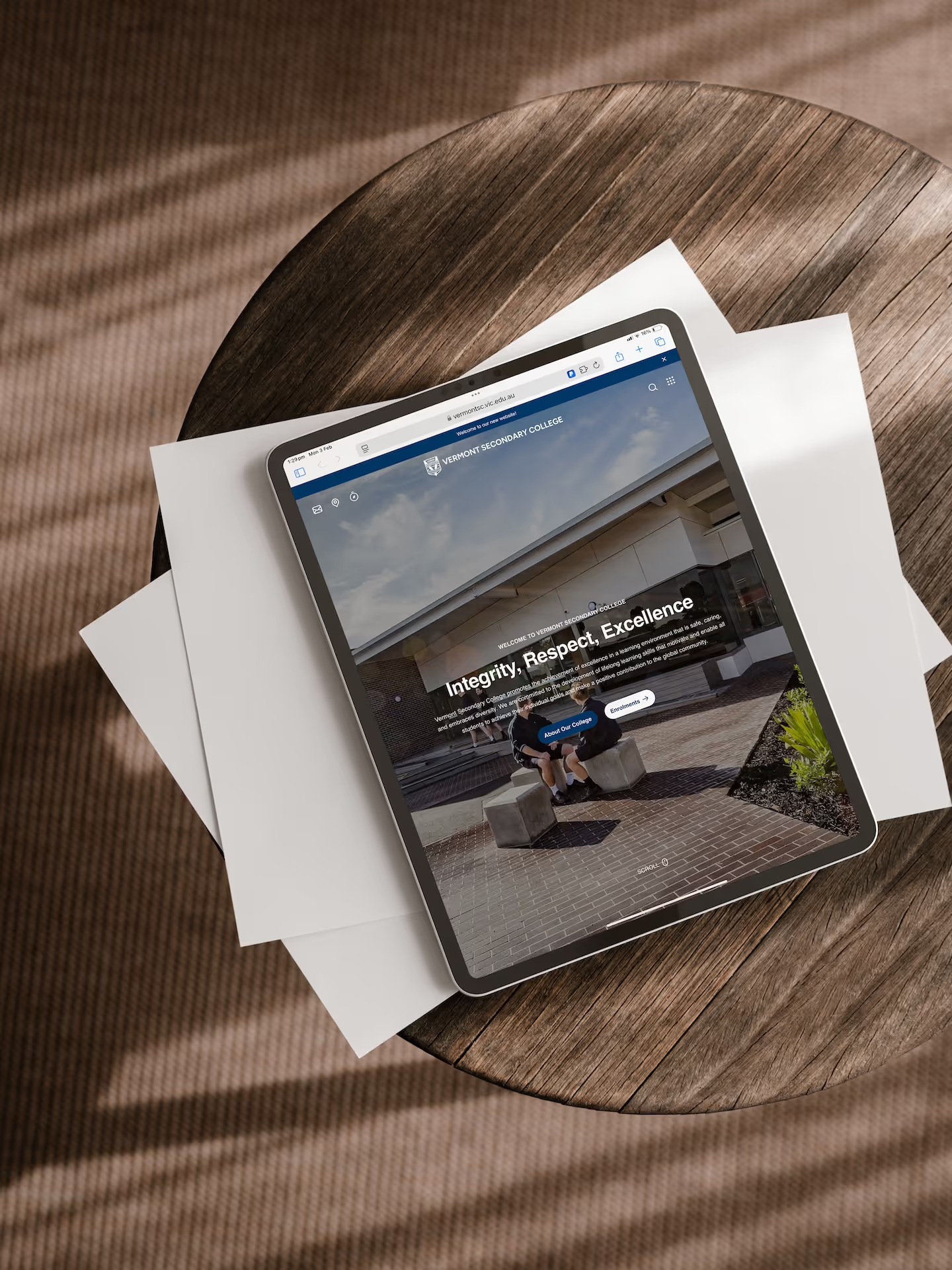
WordPress website design for Vermont Secondary College, showing the school homepage on an iPad tablet device. Designed & developed by Spacey Studios.
Logo for Ringwood Secondary College, a past client of Spacey Studios.Logo for Victorian Government Department of Education & Training, a past client of Spacey Studios.Logo of Box Hill Institute, a past client of Spacey Studios.Logo for Vermont Secondary College, a past client of Spacey Studios.Logo for Yarra Ranges Tech School, managed by Box Hill Institute, a past client of Spacey Studios.Logo of Lilydale Lakeside Children's Centre (LLCC), a past client of Spacey Studios.
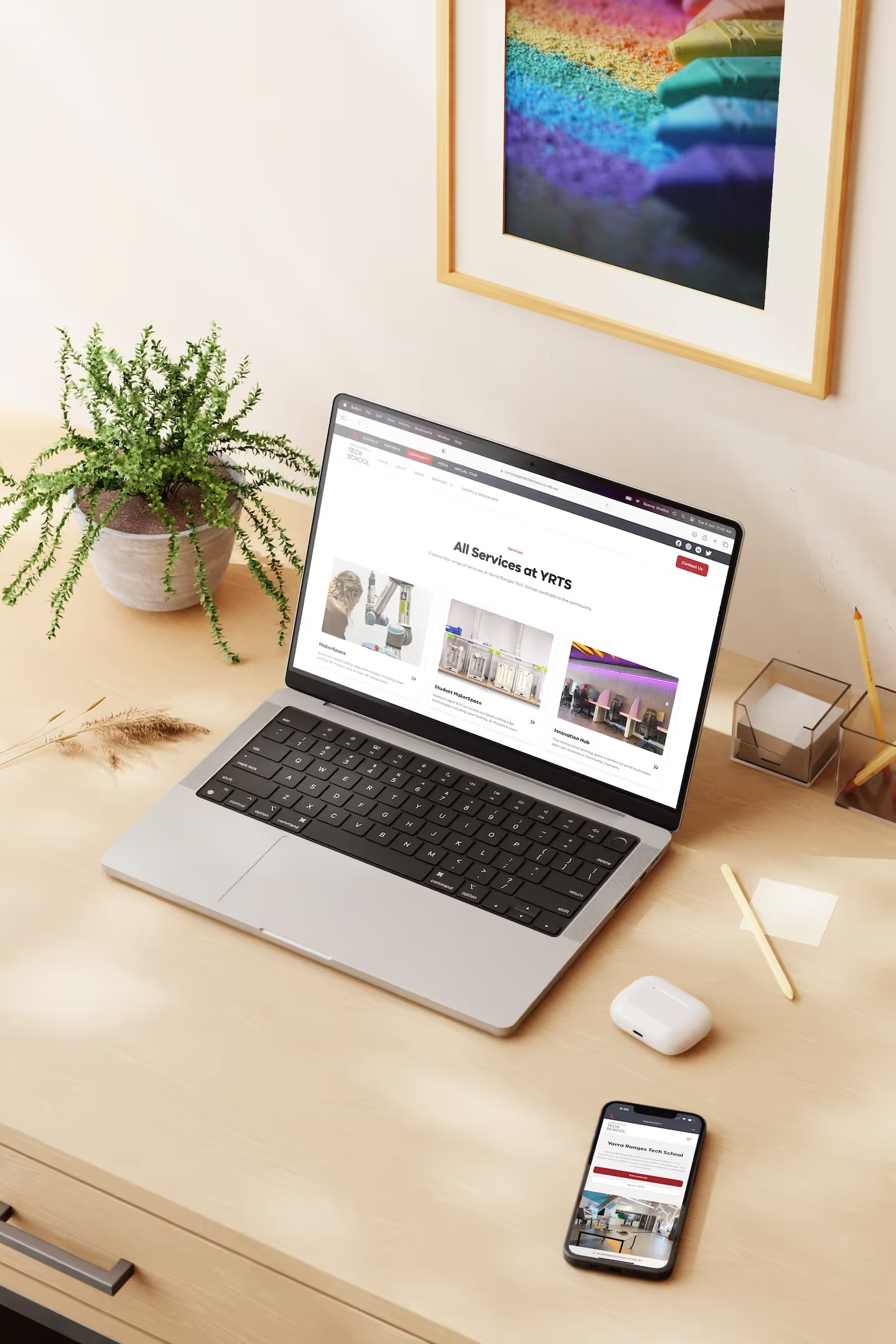
WordPress website design for Yarra Ranges Tech School, hosted by Box Hill Institute. Showcasing the education learning areas on desktop and mobile devices. Designed & developed by Spacey Studios.

Use it as a conversation starter for your website planning.

The PDF is interactive, so you can tick off items as you work through each section. We recommend using it alongside your own notes, shared document or internal planning tool so you can capture priorities, questions and decisions as they come up.

You don’t need to have every answer straight away. The checklist is designed to help you identify what is already clear, what still needs discussion, and what should be prepared before speaking with a website partner.

Need help turning your checklist into a clear plan?

At Spacey Studios, we help schools and education providers create websites that are clear, considered and easy to manage — combining strategy, design and development to support the people who use them every day.

Whether you’re preparing for a full website refresh or simply exploring what could be improved, we’d be happy to chat through your goals and help you understand what the next stage could look like.